

The short answer: A UVM sequence item (uvm_sequence_item) is the transaction class: it holds the randomisable fields for one operation (address, data, kind, delay), default constraints that keep it legal, and methods to copy, compare and print it. Register it with `uvm_object_utils so the factory can override it. You can implement copy, compare and print with field macros, or, for better performance and control, by overriding do_copy, do_compare and convert2string yourself.
Everything in a UVM testbench revolves around transactions. Sequences create them, drivers consume them, monitors produce them and scoreboards compare them. A well-designed item makes all of that easier; a careless one causes subtle scoreboard bugs.
- Anatomy of an item
- A complete example
- Field macros or do_ methods?
- Using items
- Tips
Table of Contents
Part 1: Anatomy of an item
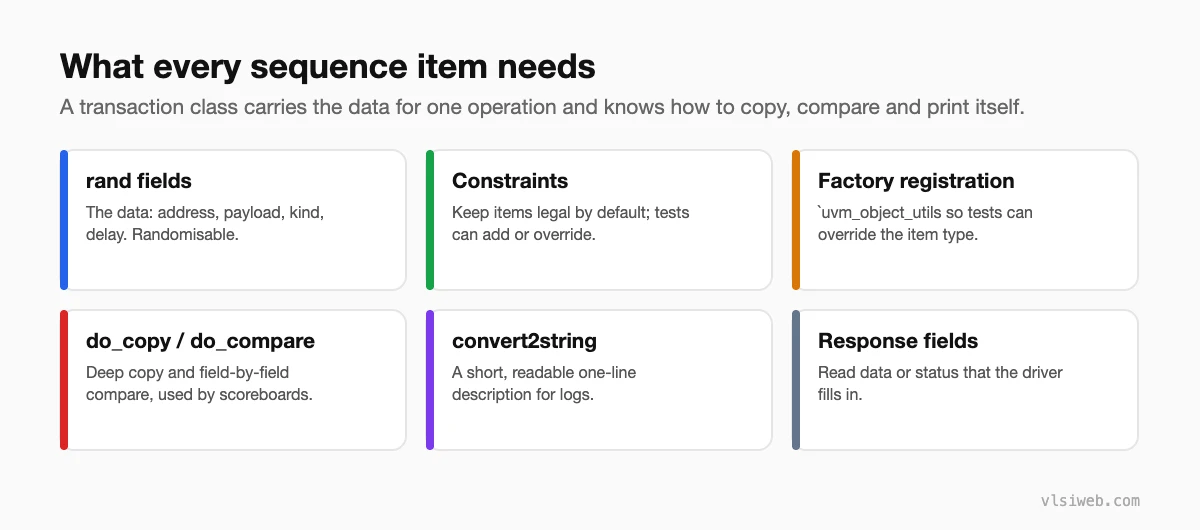
Part 2: A complete example
class bus_item extends uvm_sequence_item;
  typedef enum {READ, WRITE} kind_e;

  rand kind_e      kind;
  rand bit [31:0]  addr;
  rand bit [31:0]  data;
  rand int unsigned delay;
       bit [1:0]   resp;              // filled in by the driver

  constraint c_align { addr[1:0] == 0; }
  constraint c_delay { soft delay inside {[0:5]}; }

  `uvm_object_utils(bus_item)

  function new(string name = "bus_item");
    super.new(name);
  endfunction

  function void do_copy(uvm_object rhs);
    bus_item t;
    super.do_copy(rhs);
    $cast(t, rhs);
    kind = t.kind; addr = t.addr; data = t.data;
    delay = t.delay; resp = t.resp;
  endfunction

  function bit do_compare(uvm_object rhs, uvm_comparer comparer);
    bus_item t;
    if (!$cast(t, rhs)) return 0;
    return super.do_compare(rhs, comparer) &&
           kind == t.kind && addr == t.addr && data == t.data;
  endfunction

  function string convert2string();
    return $sformatf("%s addr=%h data=%h resp=%0d", kind.name(), addr, data, resp);
  endfunction
endclass
Note that do_compare ignores delay: it’s stimulus timing, not data the DUT should reproduce. Deciding what to compare is part of designing the item.
Part 3: Field macros or do_ methods?
| Field macros (`uvm_field_*) | do_copy / do_compare / convert2string | |
|---|---|---|
| Code to write | Very little | More |
| Performance | Slower: generic, runs for every field | Fast |
| Control | Limited flags | Exactly what you want |
| Debuggability | Hidden inside macros | Plain code |
For small projects field macros are fine. For large environments and long regressions, many teams prefer the do_ methods.
Part 4: Using items
bus_item a, b;
a = bus_item::type_id::create("a");
assert(a.randomize() with { kind == WRITE; });
$cast(b, a.clone());                // new object, deep copy via do_copy
if (!a.compare(b)) `uvm_error("CMP", "mismatch")
`uvm_info("ITEM", a.convert2string(), UVM_MEDIUM)
Part 5: Tips
- Keep default constraints legal but loose; let sequences narrow them.
- Separate stimulus-only fields (delays, error-injection flags) from data the DUT should reproduce.
- Clone items before storing them in a scoreboard, so later changes don’t corrupt the expected copy.
- Write convert2string early; you’ll read it in logs all day.
Practise this on VLSI Forge
I built VLSI Forge so you can write RTL in your browser, run it on a real simulator and check every signal in the waveform. Free, nothing to install.
Design Verification problems · Daily challenge
Previous in my UVM series: UVM testbench architecture. Next: Sequences and sequencers.
FAQ
What is a uvm_sequence_item?
The base class for transactions: the data for one operation that sequences generate and drivers execute.
What is the difference between `uvm_object_utils and `uvm_component_utils?
The first registers objects (items, sequences, configs) with the factory; the second registers components (drivers, monitors, envs).
Should I use field macros?
They’re convenient for small testbenches. For performance and control, implement do_copy, do_compare and convert2string yourself.
What is the difference between copy and clone?
copy copies into an existing object; clone creates a new object and copies into it.
