

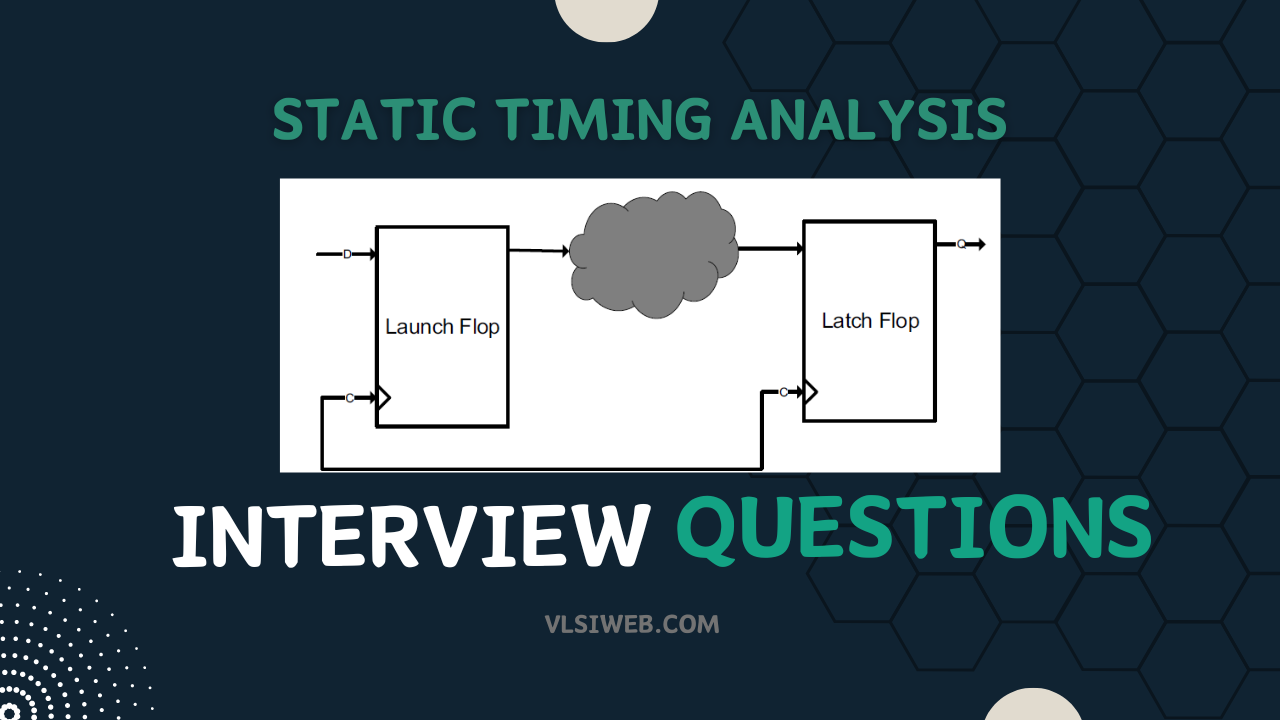
Static Timing Analysis (STA) is the backbone of sign-off in every modern VLSI design. Whether you are interviewing for a Physical Design role, an STA engineer position, or a mixed-signal verification role, STA questions are guaranteed to come up — and the depth expected scales sharply with experience. This guide covers 50+ real-world STA interview questions asked at companies like Qualcomm, Intel, NVIDIA, Synopsys, Cadence, MediaTek, and Samsung — organized from fresher fundamentals all the way to advanced sign-off topics that senior engineers need to master.
Who this is for: Freshers and students (0–2 yrs) building their STA foundation, and working engineers (2–10 yrs) preparing for senior or lead roles where deep STA expertise is evaluated.
Table of Contents
Table of Contents
- STA Fundamentals — Fresher Level (Q1–Q15)
- Intermediate Topics (Q16–Q30)
- Advanced & Sign-Off Topics (Q31–Q45)
- Tool & SDC Questions (Q46–Q52)
- Interview Tips & Study Resources
Section 1: STA Fundamentals — Fresher Level (Q1–Q15)
Q1. What is Static Timing Analysis (STA) and why is it used instead of simulation?
Answer: STA is a method of verifying the timing of a digital circuit by exhaustively analyzing all timing paths in the design without applying test vectors. Unlike dynamic simulation (which only verifies paths exercised by specific stimulus), STA guarantees that every timing path in the design meets the required constraints — making it complete, fast, and scalable to multi-million gate designs.
STA works by computing the worst-case arrival time of signals at every sequential element (flip-flop, latch, memory) and comparing it against the required time derived from the clock period and cell timing data from Liberty files. The key advantage: sign-off STA on a 100M gate design completes in hours, whereas exhaustive simulation would take years.
Key limitation: STA is static — it does not check functional correctness. It also cannot directly analyze asynchronous logic or analog blocks.
Q2. What is a timing path? List the four types of timing paths in STA.
Answer: A timing path is the route a signal travels from a startpoint to an endpoint. Every path has a launch edge (at the startpoint) and a capture edge (at the endpoint).
The four standard timing path types are:
- Input port to Flip-flop D pin — path from a primary input through combinational logic to a register
- Flip-flop Q pin to Flip-flop D pin — register-to-register path (most common)
- Flip-flop Q pin to Output port — path from a register through logic to a primary output
- Input port to Output port — pure combinational path (no registers)
In STA, paths are further classified as clock paths (from clock source to clock pin of a register) and data paths (the signal path through combinational logic).
Q3. Define Setup Time and Hold Time. What happens when they are violated?
Answer: Setup Time (Tsu): The minimum time the data input (D) must be stable before the active clock edge for the flip-flop to reliably capture the data. It is a next-cycle check. Hold Time (Th): The minimum time the data input (D) must remain stable after the active clock edge. It is a same-cycle check.
Setup violation causes the flip-flop to enter a metastable state and may capture the wrong data. Hold violation means data from the next launch window corrupts the current capture. Hold violations are frequency-independent — they exist at all frequencies and must be fixed before tapeout.
Q4. Write the setup and hold timing equations for a register-to-register path.
Answer: For FF1 launching data to FF2 with clock period T:
Setup Check: Arrival Time = T_clk_launch + T_cq + T_data_path. Required Time = T + T_clk_capture − T_setup(FF2). Setup Slack = RT − AT ≥ 0.
Hold Check: Arrival Time = T_clk_launch(min) + T_cq(min) + T_data_path(min). Required Time = T_clk_capture(min) + T_hold(FF2). Hold Slack = AT − RT ≥ 0.
For setup, maximum delays are used for arrival and minimum for capture (worst arrival, best required). For hold, minimum delays for arrival and maximum for capture.
Q5. What is Slack? What does positive and negative slack mean?
Answer: Positive Slack: path meets timing with margin. Zero Slack: exactly meets constraint. Negative Slack: timing violation — must be fixed before signoff. In timing reports: slack (MET) or slack (VIOLATED).
Q6. What is Clock Skew? Is skew always harmful?
Answer: Clock skew is the difference in clock arrival times at two flip-flops that should be clocked simultaneously, arising from different wire lengths and buffer stages. Positive skew (capture later than launch) helps setup but hurts hold. Negative skew hurts setup but helps hold. Skew is not always harmful — positive “useful skew” is intentionally inserted by CTS tools to fix critical setup paths.
Q7. Explain Clock Latency and its two components.
Answer: Clock latency = Source Latency (from ideal clock source to definition point, set via set_clock_latency -source) + Network Latency (from definition point through the clock tree to flip-flop clock pin). Before CTS, estimated; after CTS, extracted from the actual routed clock tree.
Q8. What is Clock Uncertainty and what does it model?
Answer: Clock uncertainty (set_clock_uncertainty) is a guard-band modeling: (1) Jitter — cycle-to-cycle variation from PLL/supply noise; (2) Skew — residual pre-CTS skew; (3) Margin — additional pessimism for safety. For setup it reduces available time; for hold it adds to minimum required time. Post-CTS values are lower than pre-CTS.
Q9. What is a Timing Arc? List the different types.
Answer: A timing arc defines a timing relationship between two pins stored in Liberty (.lib) files. Types: Combinational Arc (input to output of combinational cell), Setup Arc (D vs CK of sequential cell), Hold Arc, Clock-to-Q Arc (CK to Q of flip-flop), Recovery Arcstrong> (from clock source to clock pin of a register) and data paths (the signal path through combinational logic).
Q3. Define Setup Time and Hold Time. What happens when they are violated?
Answer:
- Setup Time (Tsu): The minimum time the data input (D) must be stable before the active clock edge for the flip-flop to reliably capture the data. It is a next-cycle check.
- Hold Time (Th): The minimum time the data input (D) must remain stable after the active clock edge. It is a same-cycle check.
Setup violation → The flip-flop enters a metastable state and may capture the wrong data on the current clock edge. This causes functional failure at high frequency.
Hold violation → Data from the next launch window corrupts the current capture. Hold violations are frequency-independent — they exist at all frequencies and must be fixed before tapeout. They cannot be fixed by slowing down the clock.
Q4. Write the setup and hold timing equations for a register-to-register path.
Answer:
For a flip-flop FF1 launching data to FF2 with clock period T:
Setup Check (next cycle):
Arrival Time  (AT) = T_clk_launch + T_cq + T_data_path
Required Time (RT) = T + T_clk_capture − T_setup(FF2)
Setup Slack       = RT − AT  ≥ 0  (must be non-negative)
Hold Check (same cycle):
Arrival Time  (AT) = T_clk_launch(min) + T_cq(min) + T_data_path(min)
Required Time (RT) = T_clk_capture(min) + T_hold(FF2)
Hold Slack        = AT − RT  ≥ 0  (must be non-negative)
Where T_clk_launch and T_clk_capture are the clock arrival times at the launch and capture flip-flops respectively, T_cq is the clock-to-Q delay, and T_data_path is the combinational delay through the logic cone.
Note: For setup, we use maximum delays for launch path and minimum delays for capture (worst arrival, best required). For hold, we use minimum delays for launch and maximum delays for capture (best arrival, worst required).
Q5. What is Slack? What does positive and negative slack mean?
Answer: Slack is the margin between the actual signal timing and the required timing constraint.
- Positive Slack: The path meets timing with margin. The design can potentially run faster.
- Zero Slack: Exactly meets the constraint — no margin left.
- Negative Slack: Timing violation. The path fails to meet the constraint and must be fixed before signoff.
In timing reports, you will see:
slack (MET) or slack (VIOLATED) followed by the slack value.
Q6. What is Clock Skew? Is skew always harmful?
Answer: Clock skew is the difference in clock arrival times at two flip-flops that are supposed to be clocked simultaneously. It arises due to different wire lengths, buffer stages, and load variations on the clock distribution network.
Skew can be positive (capture clock arrives later than launch — helps setup, hurts hold) or negative (capture clock arrives earlier — hurts setup, helps hold).
Is skew always harmful? No. Positive skew (useful skew) is intentionally inserted by CTS tools to help fix setup violations on critical paths. However, the same skew that helps setup will worsen the hold margin on the same path, so hold violations must be checked carefully after CTS.
Q7. Explain Clock Latency and its two components.
Answer: Clock latency is the total delay from the clock source to the clock pin of a flip-flop. It has two components:
- Source Latency (Insertion Delay): Delay from the ideal clock source to the clock definition point in the design (e.g., PLL output). This is modeled using
set_clock_latency -sourcein SDC. - Network Latency (Internal Latency): Delay from the clock definition point through the clock tree (buffers, inverters, wires) to the flip-flop clock pin. Before CTS, this is estimated; after CTS, it is extracted from the actual routed clock tree.
Total Latency = Source Latency + Network Latency
During pre-CTS STA, network latency is estimated using set_clock_latency. After CTS, the tool uses the actual propagated clock arrival times from the routed clock tree.
Q8. What is Clock Uncertainty and what does it model?
Answer: Clock uncertainty is a guard-band applied to the clock arrival time to account for effects not modeled deterministically. It is specified using set_clock_uncertainty in SDC.
It models three main effects:
- Jitter: Cycle-to-cycle variation in the clock period caused by PLL noise, power supply noise, substrate noise. Two types: period jitter and long-term jitter.
- Skew: Pre-CTS, skew is part of uncertainty. Post-CTS, residual skew not removed by balancing is still included.
- Margin (Guard-band): Additional pessimism added for safety, especially for early estimation.
For setup: uncertainty reduces the available time window → tighter constraint.
For hold: uncertainty adds to the minimum required time → tighter hold constraint.
Post-CTS uncertainty values are typically lower (jitter + residual margin) than pre-CTS values.
Q9. What is a Timing Arc? List the different types.
Answer: A timing arc defines a timing relationship between two pins — typically an input pin and output pin of a cell, or two pins in a sequential cell. Timing arcs are characterized and stored in Liberty (.lib) files.
Types of timing arcs:
- Combinational Arc: Propagation delay from an input pin to an output pin of a combinational cell (AND, OR, MUX, etc.). Can be positive unate (output rises when input rises) or negative unate.
- Setup Arc: The setup time constraint on the data pin (D) relative to the clock pin (CK) of a sequential cell.
- Hold Arc: The hold time constraint on the data pin relative to the clock pin.
- Clock-to-Q Arc: Propagation delay from the clock pin (CK) to the output pin (Q or QN) of a flip-flop.
- Recovery Arc: Similar to setup, but for asynchronous reset/set pins — minimum time before the clock edge that the async pin must be de-asserted.
- Removal Arc: Similar to hold, for async reset/set de-assertion after clock edge.
- Three-State Arcs: Enable arcs for tri-state buffers/buses.
- Width Arc: Minimum pulse width constraints for clock or async pins.
Q10. What is the difference between Propagated Clock and Ideal Clock?
Answer:
- Ideal Clock: The clock is assumed to arrive at all flip-flops simultaneously (zero latency, zero skew). Used during pre-CTS stages (RTL synthesis, early floorplan). Latency and skew are approximated using
set_clock_latencyandset_clock_uncertainty. - Propagated Clock: The STA tool propagates the clock signal through the actual clock tree (buffers, wires) extracted from the routed netlist to compute exact arrival times at every flip-flop clock pin. Used post-CTS for signoff.
Switching from ideal to propagated clock is a critical checkpoint in the PD flow. Post-CTS, timing results are far more accurate because real skew and insertion delay are captured.
Q11. How do you fix a Setup Time violation? List at least 5 methods.
Answer: Setup violations mean the data arrives too late relative to the clock edge. Fixes reduce data path delay or increase the available timing window:
- Logic restructuring / synthesis optimization: Remap critical cells to faster (lower drive strength → higher, faster variant) cells. Use
compile_ultraor timing-driven synthesis. - Cell upsizing: Replace a cell on the critical path with a higher drive-strength version to reduce its output transition time.
- VT swapping: Replace cells with Lower-Vt (LVT) cells — faster switching speed, at the cost of higher leakage power.
- Buffer/inverter pair insertion: Improve signal slew on long paths by adding buffers to reduce transition time degradation.
- Useful skew: Add positive skew to the capture clock (delay the capture flip-flop’s clock) to increase the setup window without modifying the data path.
- Placement optimization: Move cells on the critical path closer together to reduce wire delay.
- Physical restructuring: Flatten hierarchy, clone cells with high fan-out driving critical paths.
- Pipeline insertion: Add a register stage to break a very long critical path — architectural-level fix.
Q12. How do you fix a Hold Time violation? Why can’t you fix it by reducing the clock frequency?
Answer: Hold violations occur when data propagates too fast and overwrites the data being captured. The fix is to slow down the data path:
- Insert delay buffers (hold buffers): Add delay cells or buffer pairs on the violating data path. This is the most common fix. ECO hold buffer insertion is standard post-CTS.
- Cell downsizing: Replace cells on the critical (too fast) data path with lower-drive-strength versions to increase delay.
- VT upsizing: Use HVT (High-Vt) cells — slower, lower leakage. Opposite of setup fix.
- Routing detour: In rare cases, routing paths longer to add wire delay (used cautiously).
Why frequency doesn’t help: Hold is a same-cycle check — both the launch and capture happen on the same clock edge. Reducing the clock frequency (increasing period T) increases the setup slack but does not change the hold equation at all. The data still arrives too soon regardless of how slowly the clock runs. This is why hold violations are critical and must be fixed in silicon.
Q13. What is a False Path? How is it set in SDC?
Answer: A false path is a timing path that exists structurally in the netlist but is never functionally exercised during operation. STA would flag it as a violation if not excluded, leading to unnecessary optimization effort.
Common false paths:
- Paths between unrelated clock domains (asynchronous CDC paths)
- Paths through test/scan logic not active in mission mode
- Paths between mutually exclusive operating modes
- Paths through configuration registers set only at startup
SDC command: set_false_path -from [get_clocks clk_a] -to [get_clocks clk_b]
or pin-to-pin: set_false_path -from [get_pins u_reg/Q] -to [get_pins u_dest/D]
Important: False paths should be set carefully and documented. An incorrect false path can mask real timing issues and lead to silicon failure.
Q14. What is a Multicycle Path (MCP)? Give an example.
Answer: A multicycle path is a timing path where the design architecture allows data to take more than one clock cycle to propagate from launch to capture. When declared, the STA tool relaxes the setup check by N cycles.
Example: A divider or multiplier that takes 3 clock cycles to complete. The result is captured every 3rd clock cycle. A 2-cycle MCP would allow 2 × T of setup margin.
SDC command:
set_multicycle_path 2 -setup -from [get_pins u_mult/A] -to [get_pins u_reg/D]
set_multicycle_path 1 -hold  -from [get_pins u_mult/A] -to [get_pins u_reg/D]
Critical rule: When setting N-cycle MCP for setup, you must also set (N−1)-cycle MCP for hold. Without the hold adjustment, the tool tightens the hold check by N−1 cycles which will cause false hold violations. The hold multicycle must always accompany the setup multicycle.
Q15. What is the difference between Max Path and Min Path analysis in STA?
Answer:
- Max Path (Setup Analysis): The tool finds the path with the maximum delay (worst-case slow path). It checks that data arrives before the setup window of the capture flip-flop. Uses
slow/ worst-case PVT corner and maximum delay mode. - Min Path (Hold Analysis): The tool finds the path with the minimum delay (best-case fast path). It checks that data does not arrive so early that it violates the hold time. Uses
fast/ best-case PVT corner and minimum delay mode.
In OCV analysis, the tool simultaneously appies worst-case delays to the launch path and best-case delays to the capture path (setup), and vice versa for hold — modeling the most pessimistic real-world scenario within a single silicon die.
Section 2: Intermediate Topics (Q16–Q30)
Q16. What is OCV (On-Chip Variation)? How does it affect STA?
Answer: On-Chip Variation (OCV) refers to the phenomenon where transistors and wires on the same die experience different manufacturing and environmental conditions — resulting in different delays for nominally identical cells placed at different locations.
Causes of OCV: spatial variations in dopant concentration, oxide thickness, metal width/thickness, temperature gradients (IR drop variations), and Vdd variations across the die.
In OCV mode, STA applies a derate factor to model this pessimistically:
- Setup check: Launch clock path and data path get a late derate (delays multiplied by a factor > 1.0 to make them slower); capture clock path gets an early derate (delays reduced).
- Hold check: Launch data path gets an early derate; capture clock path gets a late derate.
OCV is pessimistic because it applies the same maximum derate to the entire launch or capture path equally, even though in reality only portions of the path experience the worst variation.
Q17. What is AOCV? How does it improve upon OCV?
Answer: Advanced OCV (AOCV) applies path-depth-dependent and distance-dependent derating rather than a flat derate applied to every cell uniformly.
The key insight: as a signal passes through more cells (greater depth), the statistical probability of all cells being simultaneously at worst-case variation decreases. AOCV tables are indexed by depth (number of cells in path) and distance (physical span) — shorter paths with fewer stages get higher derates; longer paths get smaller derates as variation averages out.
Advantage over OCV: AOCV is less pessimistic for long paths, resulting in fewer false timing violations and less unnecessary over-design (larger buffers, lower Vt cells). This translates to smaller area and lower power.
AOCV is supported in Synopsys PrimeTime using set_timing_derate with AOCV tables from the library.
Q18. What is POCV / SOCV (Parametric/Statistical OCV)? How does it differ from AOCV?
Answer: POCV (Parametric OCV), also called SOCV (Statistical OCV) or LVF (Liberty Variation Format), moves from deterministic derate factors to a statistical delay model. Each cell’s delay is characterized as a Gaussian distribution (mean + sigma), not a single worst-case value.
During STA, the tool computes path delay as a statistical sum of the individual cell delay distributions. The total path delay distribution has:
- Mean: Sum of individual cell delay means
- Sigma (σ): Combined using root-sum-of-squares (RSS): σ_total = √(σ₁² + σ₂² + … + σₙ²)
The required slack is then checked at a specified sigma target (e.g., 3σ or 6σ) depending on the yield target.
Key difference from AOCV: AOCV uses deterministic tables indexed by depth; POCV uses a full statistical model. POCV is the most accurate and least pessimistic. Modern advanced-node designs (7nm and below) increasingly require POCV/LVF for accurate signoff.
Q19. What is CRPR (Clock Reconvergence Pessimism Removal)? Why is it needed?
Answer: CRPR is a correction mechanism that removes artificial pessimism introduced by OCV when the launch and capture clock paths share a common portion.
The problem: In OCV mode, the STA tool applies late derate to the launch clock path and early derate to the capture clock path. But if both paths share common clock buffers (which they often do — from the clock source to the point where they diverge), those shared buffers would get both late and early derate applied simultaneously, which is physically impossible — a single buffer cannot simultaneously be at its fastest and slowest.
CRPR fix: The tool identifies the common clock path (from source to point of divergence) and removes the pessimism introduced by the conflicting derates on that common segment. The correction is:
CRPR Value = max_delay(common_path) − min_delay(common_path)
This value is added back to the slack (for setup) since the tool was being overly pessimistic. CRPR is automatically computed and applied by tools like PrimeTime and Tempus during timing analysis.
Hold and CRPR: Hold checks are same-cycle checks — launch and capture use the same clock edge. For hold, there is inherently more common path pessimism, so CRPR correction is generally larger for hold than setup in the same design.
Q20. What is Clock Gating? How does STA check gated clocks?
Answer: Clock gating is a power reduction technique where the clock to a register or cluster of registers is disabled (gated off) when the register’s data is not changing. A clock gate cell (typically a latch + AND gate combination called an Integrated Clock Gate — ICG) is inserted between the clock tree and the flip-flop’s clock pin.
STA must verify:
- Enable Setup check: The enable signal (EN) must arrive at the ICG’s enable input before the active clock edge that would propagate the clock. This is checked with a setup-like constraint derived from the ICG characterization.
- Enable Hold check: The enable must remain stable for a minimum time after the clock edge. Ensures the gate does not partially pass a glitch.
- Glitch check: The gated clock output must not generate spurious pulses. The latch-based ICG design prevents glitches by ensuring enable is only sampled during the low phase of the clock.
In SDC, clock gating checks are enabled with set_clock_gating_check. Liberty files characterize ICG cells with enable setup/hold arcs.
Q21. What is Slew (Transition Time) and why does it matter in STA?
Answer: Slew (or transition time) is the time it takes a signal to transition between logic levels — typically measured from 10%–90% (or 20%–80%) of the supply voltage. It is characterized for both rising and falling transitions.
Slew matters because:
- Cell delay depends on input slew: Liberty models include delay tables indexed by input slew and output load. Poor (slow) slew at a cell’s input increases its propagation delay — degrading setup timing.
- Slew degradation: As a signal travels through a long wire, the RC of the wire degrades the slew. Buffers are inserted to restore slew. STA tools check max slew limits from the Liberty file at every pin.
- Short-circuit power: Slow slew → longer time in the linear region → higher short-circuit (crowbar) current → increased dynamic power.
- Signal Integrity: Slow transitions are more susceptible to crosstalk-induced glitches.
STA reports slew violations separately from timing violations. Maximum slew values must be met at signoff alongside timing slack.
Q22. What are PVT Corners? What are the typical signoff corners for an advanced-node chip?
Answer: PVT stands for Process, Voltage, Temperature — the three parameters that govern cell delay. Signoff STA is performed across multiple worst-case PVT combinations (corners) to ensure the design works across all operating conditions.
- Process: Slow-Slow (SS), Typical-Typical (TT), Fast-Fast (FF), and mixed corners (SF, FS)
- Voltage: Nominal, LV (low voltage — worst for setup), HV (high voltage — worst for hold)
- Temperature: Hot (e.g., 125°C — worst for setup at older nodes), Cold (e.g., −40°C)
Important: Temperature Inversion Effect — At advanced nodes (28nm and below), the temperature coefficient of delay inverts: cells at cold temperatures can be slower than at hot temperatures (especially for HVT/ULVT cells). This means cold temperature must be checked for setup at advanced nodes, not just hot.
Typical signoff corners (16/7nm class):
- SS/0.72V/125°C — worst setup (legacy nodes)
- SS/0.72V/−40°C — worst setup (inverted regime)
- FF/0.88V/−40°C — worst hold
- TT/0.8V/25°C — functional / power analysis
Q23. What is Signal Integrity (SI) / Crosstalk in STA? How does it affect timing?
Answer: When two parallel metal wires run close together, coupling capacitance between them allows signals on one wire (aggressor) to inject noise into the other wire (victim). This is called crosstalk. In STA context, crosstalk has two effects:
- Crosstalk Delay (Delta Delay): When an aggressor switches in the same direction as the victim, it reduces the effective capacitance seen by the victim driver → speeds up the victim (reduces delay, potential hold violation). When the aggressor switches in the opposite direction, it increases effective capacitance → slows the victim (increases delay, potential setup violation). STA tools (with SI analysis enabled) compute a delta delay for each victim net and add/subtract it to the timing analysis.
- Crosstalk Glitch: When the victim is at a stable logic level and the aggressor switches, the coupling capacitance can inject a noise pulse (glitch) on the victim. If this glitch propagates to a flip-flop’s data pin at capture time, it causes functional failure. SI-aware STA checks glitch amplitude against cell threshold voltages.
SI analysis is enabled using -SI in PrimeTime SI or natively in Tempus. Fixes include net shielding, increasing victim wire spacing, inserting SI-fixing buffers, or swapping layers.
Q24. What is the difference between a Timing Exception and a Timing Constraint?
Answer:
- Timing Constraint: Defines the required timing for a path. Examples:
create_clock,set_input_delay,set_output_delay,set_max_delay. Constraints must be met for the design to function correctly. - Timing Exception: Overrides or modifies the default STA behavior for specific paths. Examples:
set_false_path,set_multicycle_path,set_max_delay -datapath_only. Exceptions are used to prevent the tool from unnecessarily optimizing paths that are either functionally irrelevant or architecturally allowed to take more time.
Misused exceptions are a common source of silicon failures. Every exception should be reviewed by the design team and documented in the timing constraints file.
Q25. What is a Half-Cycle Path? Give an example and how STA handles it.
Answer: A half-cycle path is a timing path that captures on the opposite clock edge from the launch. For example, data launched on the rising edge of a clock captured on the falling edge of the same clock — this path has only half a clock period (T/2) available instead of the full period T.
Example: A design using both positive-edge and negative-edge triggered flip-flops (dual-edge design), or a register driving a latch that captures on the clock low phase.
STA handles this automatically when clocks are defined correctly. The tool computes arrival and required times using the actual launch and capture clock edges — T/2 paths naturally get tighter setup constraints. These are typically the hardest paths to close timing on and often need special architectural consideration.
Q26. What is Recovery and Removal Time? How do they differ from Setup and Hold?
Answer:
- Recovery Time: The minimum time that an asynchronous reset/set signal must be de-asserted (return to inactive state) before the next active clock edge. It is the async equivalent of setup time — if the reset is removed too close to the clock edge, the flip-flop may not reliably exit reset state.
- Removal Time: The minimum time that the asynchronous reset/set must remain asserted after the active clock edge. It is the async equivalent of hold time.
Key difference: Setup/hold apply to synchronous data paths (D input). Recovery/removal apply to asynchronous control paths (reset/set/clear pins). STA tools perform recovery/removal checks when SDC commands set_max_delay or automatically via Liberty characterization of the async pins with recovery and removal timing arc types.
Q27. What is the impact of Clock Network delay on Setup and Hold? How does CTS balance this?
Answer: The clock network (clock tree) introduces delay from the clock source to each flip-flop’s clock pin. This delay varies between different flip-flops due to different routing lengths and buffer counts — this variation is clock skew.
- For setup: If the capture clock arrives later than the launch clock (positive skew on that path), there is more time for data — setup timing improves.
- For hold: The same positive skew means the capture clock lags, reducing the hold margin — hold timing is harder to meet.
CTS (Clock Tree Synthesis) balances the clock tree by equalizing the total clock network delay (insertion delay) across all flip-flops within a clock domain, minimizing skew. Modern CTS tools use:
- H-tree or buffer tree structures
- Useful skew insertion for critical paths
- Multi-corner CTS for advanced nodes
Target skew after CTS: typically <50ps for GHz-class designs.
Q28. What is a Lockup Latch? When is it used in STA/CTS context?
Answer: A lockup latch (also called hold-latch) is a level-sensitive latch inserted between two flip-flops in a scan chain specifically to handle cases where positive clock skew would cause hold violations in the scan path during test mode.
In a scan chain, flip-flops are connected serially. If FF1 and FF2 are in different clock domains (or have significant positive skew in the same domain), data launched from FF1 can ripple through to FF2 before FF2’s clock edge even arrives — causing a hold failure in scan mode.
Solution: Insert a transparent-low latch between FF1 (launch) and FF2 (capture). When the clock is high and data is launching from FF1, the latch is opaque (blocks the data from propagating prematurely). The latch opens during the clock low phase and passes data to FF2 safely.
Lockup latches add area and power overhead but are essential for DFT correctness across clock domain boundaries in scan chains.
Q29. How does STA handle Asynchronous Reset signals?
Answer: Asynchronous reset (or set) signals are fed to the asynchronous clear (CDN) or preset (PRE) pins of flip-flops. STA handles these through two mechanisms:
- Reset Assertion path: When the reset is asserted (active), the flip-flop immediately overrides its data output regardless of the clock. STA does not check a timing relationship for reset assertion — it’s an inherently asynchronous event.
- Reset De-assertion (Recovery/Removal check): When the reset is released, the flip-flop must meet recovery and removal times relative to the next clock edge to avoid metastability. STA checks these using recovery/removal arcs from the Liberty file. The de-assertion signal path must meet
set_max_delayor recovery check constraints.
Additionally, reset synchronizer circuits (two-FF synchronizer) are typically used in reset distribution to prevent metastability. CDC-aware STA or formal reset domain analysis is performed separately to verify reset distribution topology.
Q30. What is Timing Derate and when do you apply different derates for launch vs capture paths?
Answer: Timing derate is a multiplier applied to cell and/or net delays in STA to model worst-case on-chip variation. It is set using set_timing_derate in SDC/PrimeTime.
Derate application for Setup check:
- Launch clock path and data path: late derate (e.g., 1.05 — delays increased by 5%)
- Capture clock path: early derate (e.g., 0.95 — delays reduced by 5%)
Derate application for Hold check:
- Launch clock path and data path: early derate (0.95)
- Capture clock path: late derate (1.05)
This ensures the STA tool always evaluates the worst-case scenario — data arriving as late as possible for setup, and as early as possible for hold, relative to the most favorable possible clock.
Section 3: Advanced & Sign-Off Topics (Q31–Q45)
Q31. What is Simultaneous Multi-Corner Multi-Mode (MCMM) analysis?
Answer: Modern SoCs operate in multiple functional modes (mission mode, test mode, low-power mode, retention mode) and must meet timing across multiple PVT corners simultaneously. MCMM analysis runs STA across all combinations of modes and corners in a single invocation, enabling the tool to:
- Find the worst-case violations across all mode-corner combinations
- Optimize and fix paths considering all scenarios simultaneously (avoiding fixing one corner while breaking another)
- Generate a comprehensive signoff report covering all required scenarios
Tools like Synopsys PrimeTime and Cadence Tempus support MCMM natively. A typical signoff run might have 10–20 scenarios (combinations of corners and modes). MCMM dramatically reduces runtime compared to running separate analyses for each scenario serially.
Q32. What is Path-Based Analysis (PBA) vs. Graph-Based Analysis (GBA)?
Answer:
- Graph-Based Analysis (GBA): The default STA mode. Delays are computed on the timing graph globally — each cell computes its arrival time based on the worst arrival of all its input pins. This can be pessimistic because it may combine worst-case delays from different paths that would never physically co-exist.
- Path-Based Analysis (PBA): The tool traces each specific path individually end-to-end, computing delay only from the actual pins that lie on that path. Avoids the pessimism of GBA where worst-case arrival times from unrelated paths are combined. PBA gives more accurate (less pessimistic) slack values.
PBA is typically run after GBA in a two-stage signoff flow: GBA for fast initial analysis to find violations, then PBA on the failing paths to determine if the violations are real or GBA artifacts. PBA runtime is higher than GBA because it traces individual paths.
Q33. What is ECO (Engineering Change Order) in the STA context?
Answer: An ECO is a change made to the design (netlist, placement, routing) to fix timing, DRC, or functional issues post-implementation — ideally with minimal disruption to the surrounding layout.
STA-driven ECOs include:
- Hold ECO: Insert delay buffers on paths with hold violations. Post-CTS, this is the most common ECO. Buffers are placed in white space near the violating path.
- Setup ECO: Upsize cells, swap VT, or relocate cells on the critical path. More disruptive than hold ECO.
- Clock ECO: Adjust CTS buffers to tune skew, fix max-slew violations on the clock network.
ECO philosophy:
- Identify failing paths from timing reports
- Compute the required fix (size of buffer, new VT, placement target)
- Apply the minimal change that fixes the violation without disturbing surrounding paths
- Re-run incremental STA to verify the fix
In advanced ECO flows (especially for post-mask ECO in metal-only layers), changes are restricted to routing layers to avoid transistor-layer mask changes.
Q34. Explain the concept of IR Drop and its impact on STA.
Answer: IR drop refers to the voltage drop across the power delivery network (PDN) due to resistive losses: V_drop = I × R, where I is the current drawn by cells and R is the resistance of the power rails/straps/vias.
IR drop reduces the effective Vdd seen by cells in high-current regions of the chip. Lower effective Vdd → slower cell switching → increased cell delay → potential setup violations.
Types of IR drop:
- Static IR drop: Average current consumption. Used for initial power grid analysis.
- Dynamic IR drop: Peak instantaneous current during switching events (especially clock edges). More critical for timing because timing analysis happens at clock edges.
STA integration:
- Vector-based IR drop: Dynamic power simulation provides time-varying Vdd values per cell, which are back-annotated into STA for accurate delay computation at each clock edge.
- Worst-case voltage derating: Simplified approach where a worst-case voltage drop is applied as a flat voltage reduction for STA corner analysis.
IR drop hotspots must be fixed by adding power straps, decap cells, or redistributing clock tree loads before tapeout.
Q35. What is DMSA (Distributed Multi-Scenario Analysis)? Why is it important?
Answer: DMSA is a distributed computing approach used in tools like Synopsys PrimeTime to run multi-scenario STA analysis in parallel across a compute cluster. Instead of running each scenario (corner × mode) sequentially, DMSA launches multiple STA instances simultaneously and then consolidates results.
Importance:
- Runtime reduction: A 20-scenario signoff run that would take 40 hours sequentially can complete in 3–4 hours with DMSA across a compute farm.
- Concurrent optimization: Physical implementation tools (ICC2, Innovus) can perform MCMM optimization — fixing timing violations while considering all scenarios — which requires DMSA to be fast enough to give feedback during optimization loops.
- Tapeout schedules: Advanced node tapeout schedules require fast signoff iterations. DMSA is essential for the last-mile signoff closure at 7nm/5nm/3nm where scenario count is large.
Q36. How do you handle Clock Domain Crossing (CDC) in STA?
Answer: CDC paths cross between two asynchronous clock domains — domains without a fixed phase relationship. STA cannot verify these paths using standard setup/hold checks because the timing relationship between the clocks is undefined.
STA treatment of CDC paths:
- Set as False Paths: CDC paths with proper synchronizers are typically set as false paths in STA:
set_false_path -from [get_clocks clk_A] -to [get_clocks clk_B]. This tells the STA tool to skip timing analysis for these paths. - Constrain synchronizer inputs: Even though the crossing path is a false path, the internal paths of the synchronizer (metastability protection flip-flops) must still be analyzed: the two synchronizer flip-flops must have their setup time met at the destination clock, and their registers must be placed close together (same or adjacent logic cells) to minimize MTBF.
- CDC-specific analysis: Separate CDC verification tools (Mentor Questa CDC, Synopsys SpyGlass CDC) verify structural completeness of synchronizers — this is distinct from STA.
Q37. What is Time Borrowing and how does it work with Latches?
Answer: Time borrowing is a unique property of level-sensitive latches (not flip-flops) that allows data arriving slightly after the clock edge to still be captured correctly — effectively “borrowing” time from the next cycle.
A latch is transparent when its clock (enable) is active (e.g., high for a positive latch). During the transparent phase, if data arrives late (past the edge), the latch can still capture it as long as it arrives before the latch closes. This borrowed time reduces the slack requirement on the launching path at the cost of reduced slack on the path through the capturing latch.
Benefit: Latch-based designs can achieve higher throughput than flip-flop pipelines by allowing imbalanced pipeline stages to borrow time from adjacent stages. This is used in high-performance microprocessors (IBM Power, Intel designs have latch stages in critical loops).
STA complexity: STA with latches is significantly more complex. Tools must compute opening/closing windows, borrowed time propagation, and ensure borrowed time does not cascade through multiple stages beyond a single period.
Q38. What is the Liberty (.lib) file? What information does it contain for STA?
Answer: A Liberty file is a text-based, standardized format developed by Synopsys (now an industry standard) that characterizes the timing, power, and logical function of a standard cell library. It is the primary source of cell delay data for STA.
Key data in a Liberty file:
- Timing arcs: Delay tables (NLDM — Non-Linear Delay Model) indexed by input transition time and output capacitive load. Separate tables for rise and fall transitions.
- Setup/hold tables: Constraint values indexed by clock transition and data transition.
- Power tables: Dynamic switching power and internal power (rise/fall) per arc.
- Leakage power: Per state and per cell
- Logical function: Boolean function of the output
- Operating conditions: PVT conditions at which the characterization was performed
- Interconnect delay model: Wire load models (WLM) for pre-layout estimation
At advanced nodes, CCS (Composite Current Source) or ECSM models replace NLDM for higher accuracy by modeling waveform shape propagation, not just delay and slew. LVF (Liberty Variation Format) adds statistical sigma data for POCV analysis.
Q39. What is the difference between setup and hold analysis in OCV when there is crosstalk on the common clock path?
Answer: This is a subtle but important distinction:
For hold analysis: The launch and capture flip-flops share a common clock path segment. The clock edge used for both launch and capture in a hold check is the same clock edge. Therefore, the crosstalk-induced variation on the common clock path would affect both the launch and capture clock timing identically — it cancels out in the hold equation. STA tools performing SI-aware hold analysis remove crosstalk contribution from the common clock path for hold checks.
For setup analysis: Setup is a next-cycle check — the launch and capture use different clock edges (separated by one period). These different edges may experience different crosstalk environments (different aggressors switching at different times). Therefore, crosstalk on the common path cannot be assumed to cancel, and SI analysis must consider the worst-case combination for setup. STA tools may apply pessimistic crosstalk delta delays to the common path for setup even though they remove it for hold.
Q40. What is Max Transition, Max Capacitance, and Max Fanout constraint? How do they impact timing?
Answer:
- Max Transition: The maximum allowable slew (transition time) at any pin. Defined per cell or globally with
set_max_transition. Violations indicate a net is too long, the driver is too weak, or load is too high. A slow transition increases the propagation delay of the downstream cell → setup violations. Fix: insert buffers to split the net, or upsize the driver. - Max Capacitance: The maximum total capacitive load that a cell output can drive. Defined in the Liberty file per cell output pin. Violations cause excessive delay and slew degradation. Fix: buffer insertion, cell upsizing, net splitting.
- Max Fanout: Maximum number of cells an output can drive. Functionally constrains fan-out, often used to limit logical fanout as a proxy for physical load. Violations fixed by buffering or cloning. Less direct timing impact than max capacitance, but affects routability and SI.
All three are checked during synthesis and place-and-route, and must be clean at signoff. STA reports list these as DRC violations alongside timing violations.
Q41. Explain Input/Output Delays in SDC and how they define timing for I/O paths.
Answer: Input and output delays in SDC define the timing relationships between primary I/O ports and the clock, enabling STA to verify port-to-register and register-to-port paths.
set_input_delay -max <delay> -clock <clk> [get_ports <port>] tells the tool that an external register (outside the current block/chip) launches data to the input port with a maximum delay of <delay> after the clock edge. This limits how much time the internal combinational path (port → first register) has.
set_output_delay -max <delay> -clock <clk> [get_ports <port>] tells the tool that an external register captures the output with a setup requirement of <delay> before the next clock edge. This limits how much time the path (last register → output port) has.
The values typically come from the system-level timing budget. In a board-level design, they include PCB trace delays, connector delays, and the setup/hold requirements of the receiving chip.
Q42. What is Noise Immunity and Noise Margin in STA context?
Answer: Noise margin is the amount of noise a digital signal can tolerate before being misinterpreted as the wrong logic level. In STA/SI context:
- NMH (High Noise Margin): VOH (min output high voltage) − VIH (min input high voltage)
- NML (Low Noise Margin): VIL (max input low voltage) − VOL (max output low voltage)
In crosstalk glitch analysis, the tool checks whether a noise pulse on a victim net has enough amplitude to cross the switching threshold (VIH or VIL) of the receiving cell’s input. If the glitch height exceeds the noise margin, it can cause a functional error (logic flip) or timing error (false capture).
At advanced nodes, shrinking supply voltages (from 1.2V at 28nm to 0.7V at 3nm) compress noise margins — making SI analysis increasingly critical. Glitch analysis must account for glitch height, width, and the switching threshold of the specific receiving cell from Liberty data.
Q43. What is the difference between Clock Gating Check and a Regular Setup Check?
Answer:
- Regular Setup Check (Data path): Checks that data at the D pin of a flip-flop arrives before the clock edge (T − Tsetup). The reference is the clock edge at the flip-flop’s CK pin.
- Clock Gating Check: Checks the timing of the enable signal (EN) at a clock gate (ICG) relative to the clock passing through the gate. The enable must be stable before the clock edge to prevent a glitch from propagating through the gate output. The reference is the clock at the ICG’s clock input (not at a downstream flip-flop’s CK pin).
Key differences:
- Clock gating checks are reported separately (
check_clock_gatingin PrimeTime) - The check constraint values come from ICG Liberty characterization (active_high/active_low enable type)
- A failed clock gating check causes a glitch on the gated clock — a functional hazard, not just a timing issue
- Clock gating checks must be met at all PVT corners and modes
Q44. How do Timing Derates differ between Cell Delay and Net (Wire) Delay?
Answer: In OCV/AOCV analysis, separate derate factors are applied to cell delays and net delays:
- Cell delay derate: Models on-chip process variation in transistor characteristics. Typically the dominant source of OCV. Values typically range from 3% to 8% depending on the technology node and library provider.
- Net delay derate: Models variation in metal width, thickness, and dielectric constant affecting wire resistance and capacitance. Generally smaller than cell derate (1–3%) because metal variation is tighter-controlled than transistor variation in modern fabs.
SDC syntax to apply separate derates:
set_timing_derate -cell_delay -late 1.05
set_timing_derate -cell_delay -early 0.95
set_timing_derate -net_delay  -late 1.02
set_timing_derate -net_delay  -early 0.98
In POCV, cell derates are replaced by statistical sigma tables from LVF Liberty files, while net derates may still be applied as flat derating on extracted RC values.
Q45. What are Timing Budgets and how are they used in hierarchical STA?
Answer: In large SoC designs, the chip is partitioned into multiple blocks (IP blocks, subsystems). Timing budgets allocate a portion of the available timing margin to each block interface, enabling teams to perform block-level STA independently and in parallel.
Process:
- Top-level timing constraints: Clock periods, I/O delays, and inter-block interface constraints are defined at the chip level.
- Budget generation: The chip-level constraints are distributed to each block as input/output delay constraints (budgets), accounting for estimated wire delays at the top level.
- Block-level STA: Each block team runs STA using the budgeted constraints. Blocks must meet their own timing closure without knowing the full chip context.
- Top-level assembly STA: All blocks are assembled with actual extracted top-level routing, and full-chip STA is performed to verify the combined timing with real inter-block delays.
Budget distribution approaches: proportional allocation (based on estimated path ratios), data-path only (blocks constrained tightly on data, relaxed on clock), or MMMC budgeting (separate budgets per scenario). Hierarchical STA with proper budgeting is essential for chips with 10+ IP blocks and multi-vendor integration.
Section 4: Tool & SDC Questions (Q46–Q52)
Q46. What are the key SDC commands every STA engineer must know?
Answer: Essential SDC (Synopsys Design Constraints) commands:
create_clock -period <T> -name <name> [get_ports <clk_port>]— Define a clock with period T nanosecondscreate_generated_clock— Define a divided/multiplied clock derived from a master clockset_clock_latency -source <val> [get_clocks <clk>]— Source latency (insertion delay from PLL)set_clock_uncertainty -setup <val> [get_clocks <clk>]— Jitter + skew marginset_clock_transition— Forced clock transition timeset_input_delay / set_output_delay— I/O port timing constraintsset_false_path— Exclude path from timing analysisset_multicycle_path— Relax path to N clock cyclesset_max_delay / set_min_delay— Explicit delay constraint on a pathset_timing_derate— Apply OCV deratingset_max_transition / set_max_capacitance / set_max_fanout— Physical constraintsset_dont_touch / set_dont_use— Prevent optimization of specific cells/netsset_case_analysis— Fix logic values for specific modes (e.g., scan_enable = 0)set_clock_groups -asynchronous— Declare asynchronous clock groups (no analysis between them)
Q47. How do you interpret a PrimeTime timing report? What are the key fields to check?
Answer: A PrimeTime timing report for a single path contains:
Point                           Incr       Path
----------------------------------------------
clock CLK (rise edge)          0.000      0.000  ← Clock launch edge
clock network delay (ideal)    0.300      0.300  ← Launch clock latency
u_reg1/CP (rise)               0.000      0.300  ← Launch flip-flop clock pin
u_reg1/Q  (rise)               0.180      0.480  ← CK→Q delay
u_buf1/A  (rise)               0.050      0.530  ← Wire delay to buffer input
u_buf1/Z  (rise)               0.120      0.650  ← Buffer propagation delay
u_reg2/D  (rise)               0.030      0.680  ← Data arrival at capture D pin
                               --------
data arrival time                         0.680  ← Actual Arrival Time (AT)

clock CLK (rise edge)          1.000      1.000  ← Clock period
clock network delay (ideal)    0.270      1.270  ← Capture clock latency
u_reg2/CP (rise)               0.000      1.270
library setup time            -0.080      1.190  ← Subtract setup time
                               --------
data required time                        1.190  ← Required Time (RT)

data required time                        1.190
data arrival time                        -0.680
                               --------
slack (MET)                               0.510  ← Positive = timing met
Key checks: (1) Slack sign and value, (2) which cell is the bottleneck on the data path (largest incremental delay), (3) capture clock latency vs launch clock latency (skew), (4) slew values at each point, (5) any exception applied to this path.
Q48. What is set_max_delay -datapath_only? When is it used vs regular set_max_delay?
Answer:
set_max_delay <val>: Sets a delay constraint of <val> on the path. However, the tool still applies clock uncertainty and other timing adjustments — effectively it’s a relaxed setup constraint. Hold checking is still performed on these paths.set_max_delay -datapath_only <val>: Completely overrides the default clock-based timing relationship. No clock uncertainty, no CRPR, no hold checking is performed. Used for purely combinational constraints (e.g., maximum propagation delay through an async path, or CDC path where only maximum data transfer time matters).
Use cases for -datapath_only:
- Constraining a combinational block with a direct timing budget (e.g., max 5ns path regardless of clock)
- CDC paths where a maximum settling time is required but no clock relationship exists
- I/O paths with specific absolute delay requirements
Caution: Using -datapath_only disables hold checking — ensure the path does not need hold analysis (i.e., it’s truly asynchronous or not register-to-register).
Q49. How do you set up an MCMM analysis in PrimeTime?
Answer: A basic MCMM setup in PrimeTime involves:
# 1. Define scenarios
create_scenario -name func_ss_0p72v_125c
create_scenario -name func_ff_0p88v_m40c

# 2. For each scenario, load the appropriate Liberty and timing files
current_scenario func_ss_0p72v_125c
read_lib slow_corner.lib
read_sdc constraints.sdc
set_operating_conditions -max ss_0p72v_125c

current_scenario func_ff_0p88v_m40c
read_lib fast_corner.lib
read_sdc constraints.sdc
set_operating_conditions -min ff_0p88v_m40c

# 3. Load parasitic (RC) data per corner
read_parasitics -corner slow func_ss_0p72v_125c.spef
read_parasitics -corner fast func_ff_0p88v_m40c.spef

# 4. Run analysis
check_timing -verbose
report_timing -scenarios all -nworst 10
The tool analyzes all scenarios in DMSA mode if configured for distributed execution. Reports are generated per scenario, and the worst violating scenario is highlighted for ECO priority.
Q50. What PrimeTime command do you use to check for setup and hold in one report?
Answer:
# Report worst setup violations
report_timing -delay max -nworst 50 -max_paths 100 -sort_by slack

# Report worst hold violations
report_timing -delay min -nworst 50 -max_paths 100 -sort_by slack

# Summary of all violations
report_constraint -all_violators

# Check all design rules (slew, cap, fanout) alongside timing
check_design
report_constraint -max_transition -all_violators
report_constraint -max_capacitance -all_violators
For a quick overall health check: report_timing_summary gives TNS (Total Negative Slack) and WNS (Worst Negative Slack) — the two primary metrics for signoff closure. TNS represents the total work remaining; WNS shows the single worst violation.
Q51. What is TNS and WNS? How are they used to track timing closure progress?
Answer:
- WNS (Worst Negative Slack): The single worst slack value across all timing paths. A negative WNS means the design has timing violations. WNS = 0 means all paths are met (no individual path violates).
- TNS (Total Negative Slack): The sum of all negative slack values across all violating paths. TNS = 0 means the design is clean. TNS indicates how much total work remains.
Tracking closure:
- Early PnR: WNS −500ps, TNS −50,000ps — many violations, large optimization headroom
- Mid PnR: WNS −100ps, TNS −5,000ps — most easy paths fixed, hard paths remain
- Post-route signoff target: WNS ≥ 0ps, TNS = 0ps across all scenarios
Tracking WNS and TNS across routing iterations gives a progress curve. When WNS stops improving (plateaus), engineering judgment is needed — more CTS tuning, floorplan changes, or architectural fixes may be required for the hardest violations.
Q52. What is the difference between Synopsys PrimeTime and Cadence Tempus? When would you choose one over the other?
Answer: Both are industry-leading golden signoff STA tools, but with different strengths:
| Feature | Synopsys PrimeTime (PT) | Cadence Tempus |
|---|---|---|
| Market position | Industry standard, most widely used | Strong in Cadence-flow shops |
| Integration | Seamless with DC, ICC2, Fusion Compiler | Tight integration with Innovus PnR |
| DMSA | DMSA — well-established distributed analysis | Massively parallel native multi-core |
| POCV/LVF | Supported (PrimeTime POCV) | Supported natively |
| SI Analysis | PrimeTime SI — industry reference | Native SI integrated |
| ECO | PT ECO (pt_eco) — functional ECO support | Tempus ECO — tightly coupled with Innovus |
| Script language | Tcl (PT-specific extensions) | Tcl (Tempus-specific extensions) |
Choice in practice: If the front-end flow uses Synopsys DC + ICC2, PrimeTime is the natural signoff tool. If using Cadence Genus + Innovus, Tempus is the preferred signoff tool for the tightest ECO-to-PnR feedback loop. Many companies run both and cross-correlate results for final signoff confidence.
Interview Tips & Study Resources
Quick Cheatsheet: Most-Asked STA Topics by Company
- Qualcomm, MediaTek: Heavy on CRPR, OCV/AOCV, CDC handling, MCMM. Expect to derive equations on the whiteboard.
- NVIDIA, Intel: Deep on setup/hold margins, PBA vs GBA, IR drop impact. Often ask about tools (PrimeTime) and scripting.
- Synopsys, Cadence (design roles): May ask about tool internals, Liberty characterization, POCV/LVF, and noise analysis.
- Samsung, TSMC (foundry-side): PVT corners, temperature inversion, process variation modeling, Liberty file structure.
- Freshers: Focus on Q1–Q15 — master the fundamentals cold. Derive the setup/hold equations from memory.
Key Textbooks & References
- Static Timing Analysis for Nanometer Designs — J. Bhasker & Rakesh Chadha (the STA bible)
- Timing Analysis and Simulation for Signal Integrity Engineers — Greg Edlund
- Digital Integrated Circuit Design — Jan Rabaey (fundamentals)
- Synopsys PrimeTime User Guide (available via Synopsys SolvNetPlus — log in with your company account)
- Cadence Tempus Timing Signoff Solution User Guide
Online Resources
- VLSI Universe — STA solved problems with step-by-step solutions
- VLSI Universe Blog — STA Interview Questions
- STA Interview Questions PDF (Scribd) — community-contributed questions by difficulty
- VLSIInterviewQuestions.org STA eBook — curated question bank
- STA Basics Course (GitHub) — open-source STA learning material
Master these 52 questions and you will be well-prepared for STA interviews at any level — from entry-level physical design positions to senior timing closure roles at top semiconductor companies. Combine conceptual understanding with hands-on tool practice in PrimeTime or Tempus, and you will be the candidate who stands out.
